Quick Facts About the 12306 App
-
Is there an English version? Yes! The official 12306 app now has a fully functional English interface.
-
Can foreigners use it? Yes. You can register using your foreign passport and an international phone number or email.
-
How do I pay? The app accepts Alipay, WeChat Pay, and major international credit cards (Visa, Mastercard, JCB). Alipay is highly recommended for the highest success rate.
-
Do I need a paper ticket? No. China's high-speed rail network is completely paperless. Your scanned passport is your physical ticket.
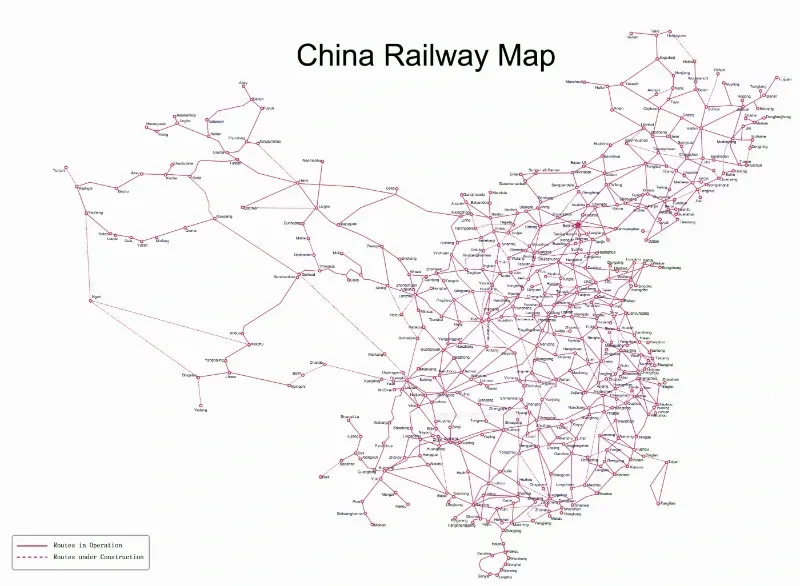
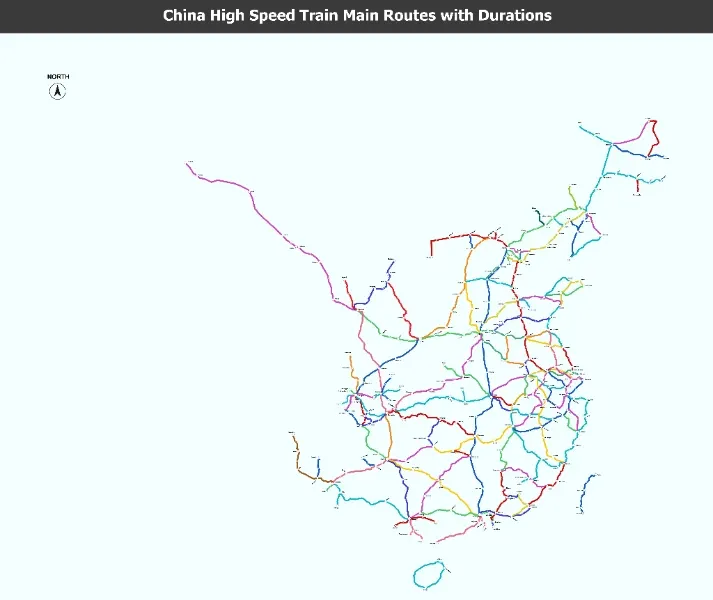
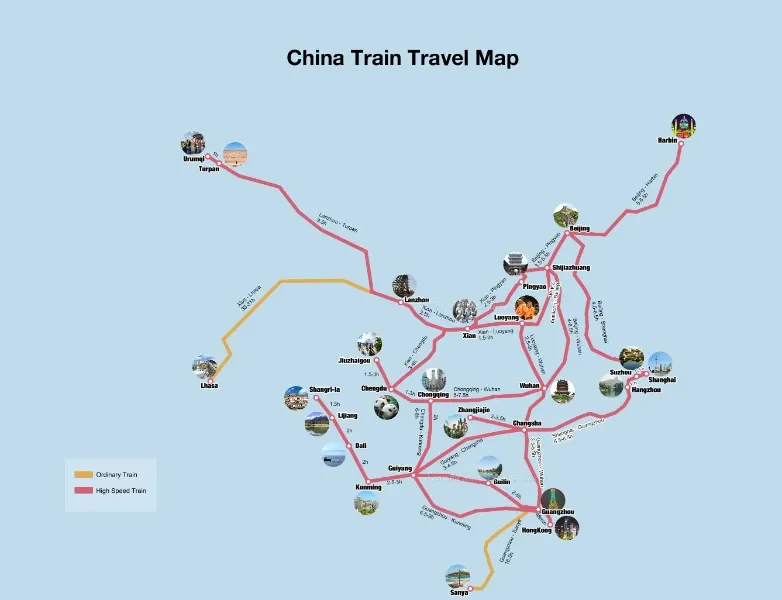
China's high-speed rail (HSR) network is the world's largest and fastest, covering over 45,000 km and connecting major cities like Beijing, Shanghai, Guangzhou, and Chengdu in hours rather than days. The official 12306 app (developed by China Railway) is the cheapest and most reliable way to book tickets—no service fees, real-time availability, and direct e-tickets for most routes.
In 2025, the app fully supports foreign passports, international credit cards, and an improved English interface, making it accessible for non-Chinese speakers. This comprehensive guide will walk foreign travelers through every step, from registration to boarding.
🔥Why Use the Official 12306 App?
The Railway 12306 (铁路12306) app is the sole official ticketing platform managed by China Railway.
-
Real-Time Inventory: Access to the most accurate and up-to-date ticket availability, especially during peak travel seasons.
-
Best Chance for Hard-to-Get Tickets: Direct access to the "Standby" ticket feature, which allows you to queue for sold-out tickets.
-
Authentic Information: Ensures you are using the correct train numbers, times, and prices.
-
English Language Support: The app now offers a reasonably functional English interface.
📱Getting Started: Downloading the 12306 App
To begin your journey toward hassle-free train travel, download the official application:
-
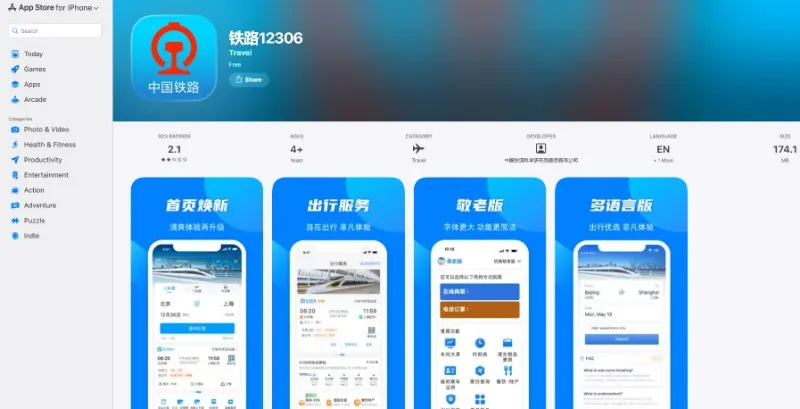
App Store (iOS): Search for "Railway 12306" or "铁路12306."
-
Google Play (Android): Search for "Railway 12306."
💡 Pro Tip: The app icon is a prominent blue circle with a white locomotive design. Ensure you download the official version.
📝Step 1: Account Registration for Foreigners
China's system requires real-name authentication, meaning your account must be verified against your passport.
-
Switch to English: After launching the app, go to "Me" (我的) → Settings (⚙) → Version Switch (版本切换) and select the English version.
-
Start Registration: Tap "Log In" and then "Register."
-
Fill in Details: Enter your personal information exactly as it appears on your passport.
-
ID Type: Select "Passport."
-
Name: Enter your name in English (usually Last Name First Name, as per passport's machine-readable zone, or follow the app's prompt).
-
ID Number: Input your passport number.
-
Phone Number: You can use an international phone number. You will receive an SMS code for verification.
-
-
Complete Verification: Submit your details. The system often completes verification automatically. If not, you may be required to upload a photo of your passport's data page or, in rare cases, complete the verification process in person at a major train station's ticket counter.
👪Step 2: Adding Passengers (Real-Name Authentication)
Once your own account is verified, you can add yourself and other travelers to your passenger list.
-
Go to "Me" → "Passengers."
-
Tap "Add Passenger."
-
Fill in the required information for each person you plan to book tickets for.
-
Wait for the status to show as "Verified" before attempting to book a ticket for them. This process can be instant or take a few hours.
💡 Troubleshooting: "Identity Verification Failed" or "Pending"
The most common issue foreigners face on the 12306 app is failing the real-name identity verification. If your status shows as Failed or Pending Verification, try these fixes:
-
Check Name Formatting: Enter your name exactly as it appears in the machine-readable zone (the two lines of text with "<<<<" at the very bottom of your passport photo page). Usually, this means typing your Last Name first, followed by your First Name, with no middle names unless they are on that bottom line.
-
Upload Passport Photo: The app may prompt you to upload a clear photo of your passport data page for manual review. This usually takes 1 to 24 hours to be approved.
-
The Last Resort (In-Person): If the app still rejects your passport, you can take your physical passport to any major railway station ticket counter in China to complete verification manually.
🎟️Step 3: Searching and Booking Your Tickets
Booking is straightforward once your passengers are verified.
-
Search: On the home page, select "Train Ticket" (火车票).
-
Enter Cities/Dates: Input your departure city/station, arrival city/station, and the travel date. You can type the city name in English (Pinyin).
-
View Results: The list will display available trains (G, D, C, etc., are High-Speed Rail).
-
Select & Book:
-
Choose your preferred train and tap "Book."
-
Select Passengers: Choose the verified passengers for this trip.
-
Select Seat Class: Common high-speed rail classes include:
-
Second Class Seat (二等座): Standard and most affordable.
-
First Class Seat (一等座): Wider seats, more legroom.
-
Business Class Seat (商务座): Premium, fully reclining seats (most expensive).
-
-
Seat Preference: You can often select a preference (Window or Aisle). Note that seats are typically labeled A, B, C, D, F, where A/F are window seats and C/D are aisle seats (B is a middle seat on 5-across rows).
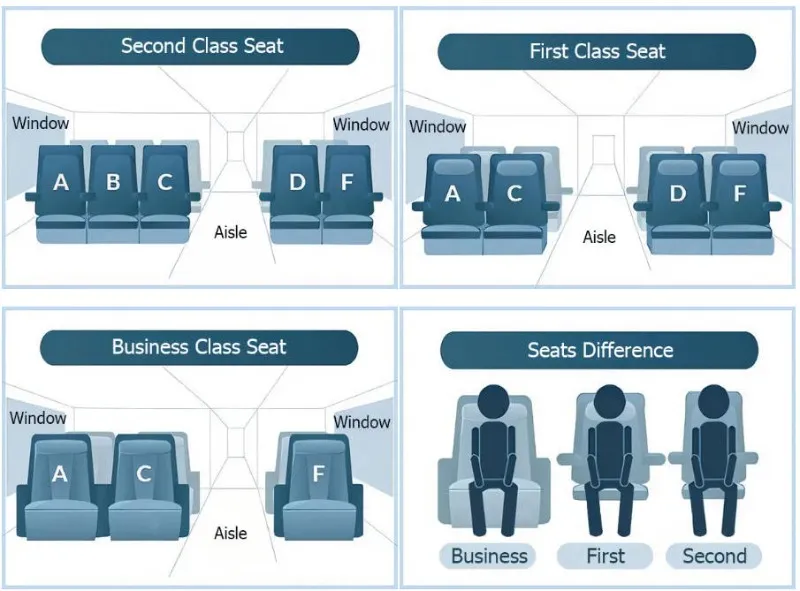 Image from travelchinaguide.com, Copyright by original author
-
-
Submit Order: Confirm all details (time, date, passengers, seat type) and submit the order.
💲Step 4: Making Payment
After submitting, you have a limited time (usually 30 minutes) to complete the payment.
-
Payment Options:
-
Alipay/WeChat Pay: Highly recommended. Link your international card to these services for the easiest payment experience.
-
International Bank Cards: The app accepts major international cards (Visa, Mastercard, etc.) directly, though the success rate can vary.
-
Once payment is successful, your booking is confirmed! You will receive a notification and an order confirmation number.
💡Ticket Refunds, Changes, and Service Fees
China Railway uses a tiered fee structure based on the time interval between your request and the train's scheduled departure.
1. Ticket Refund (Cancellation) Policy
Refunds can generally be processed via the 12306 App before the train's scheduled departure. No refunds are allowed after the train has departed. The service fee is calculated as a percentage of the original ticket price:
| Time Before Train Departure | Service Fee Rate | Notes |
| 8 days and more (inclusive) | 5% | This is the minimum fee for domestic tickets. (Note: Older policies might state free cancellation, but the current general rule is 5%.) |
| 48 hours to less than 8 days | 10% | |
| 24 hours to less than 48 hours | 20% | |
| Less than 24 hours | 20% |
Key Rule on Refund Fees:
-
The minimum refund fee charged per ticket is CNY 2.
-
The refund fee calculation has specific rounding rules (e.g., amounts less than 0.25 CNY are rounded down; 0.75 CNY and above are rounded up to the nearest whole yuan).
2. Ticket Change (Alteration) Policy
Each ticket is generally allowed one free change for the date, train number, or seat class, provided the change meets specific criteria.
A. Free Change Scenarios (No Fee Applied)
-
More than 48 hours before departure: You can change to any train within the pre-sale period.
-
Less than 48 hours before departure: You can change to a train that departs earlier than the original date/time.
-
After Departure (Missed Train): You may change to a subsequent train on the same day before 24:00 (midnight) at the station ticket counter.
B. Change Fees for Lower Fare Tickets (Differential Fee)
If you change to a ticket with a lower fare, the price difference is refunded to you, but a refund service fee will be deducted from that difference based on the following schedule:
| Time Before Departure | Change to a LATER Date/Train | Fee on the Lower Fare Difference |
| 24 hours to less than 48 hours | Yes, to a later train | 5% of the difference |
| Less than 24 hours | Yes, to a later train | 15% of the difference |
| After Departure (Same Day) | Change to the next day or later | 40% of the difference |
Fare Difference Rule:
-
If the new ticket fare is higher, you must pay the difference. No extra fee is charged on the amount paid.
-
If the new ticket fare is lower, you receive a refund for the difference, minus the fee listed above.
3. Change of Destination ("Change of Arrival Station")
Tickets that have had the arrival station changed ("变更到站" or Change of Destination) are no longer eligible for another change or refund according to some railway guidelines. If a refund is permitted, it will be subject to the standard refund fee schedule based on the time of cancellation.
Disclaimer: These policies are subject to change by China Railway. For the most accurate and up-to-date information, please always refer to the official notices on the 12306 App or the China Railway website before finalizing your booking or cancellation.
🧾Getting a Reimbursement Voucher
When purchasing train tickets in China, particularly for business travel, obtaining a formal document for financial accounting is crucial. This document, known in Chinese as the "报销凭证 (Bàoxiāo Píngzhèng)," or Reimbursement Voucher, is the official paper proof required by most organizations for expense claims.
The Reimbursement Voucher cannot be generated or downloaded digitally from the 12306 App. It must be printed physically at a designated location.
1. Where to Print:
-
Train Stations: The voucher can be printed at any train station ticket window or automated self-service machine (those specifically designated for printing vouchers) within mainland China.
-
Conditions: The station does not have to be the departure or arrival station listed on the ticket. Any major station is usually sufficient.
2. When to Print:
-
Before Travel: You can print the voucher at any time after the purchase is complete.
-
After Travel: You can print the voucher up to 180 days after your journey has been completed.
-
Important Note: The voucher can only be printed once. Once printed, the ticket information is marked in the system, and you cannot print a duplicate.
Important Considerations for Travelers
-
Refunds/Changes: If you have processed a refund or change, you must obtain a separate reimbursement voucher for the original ticket and a new voucher (if applicable) reflecting the final transaction. The refund transaction typically requires a separate "Refund Voucher" document.
-
Lost Vouchers: Since the voucher is only printed once, travelers must handle it carefully. If lost, China Railway generally does not reissue the reimbursement voucher.
-
Non-Travel Purposes: If you purchased a ticket but did not travel and subsequently received a refund, you may still need to print a voucher reflecting the refund service fee deducted, for accounting purposes.
🚉Your Trip Day: Boarding the High-Speed Rail
Unlike traditional train travel that requires a physical ticket, HSR uses a paperless system.
-
What to Bring: Your original passport is your ticket. You do not need to collect a paper ticket (unless you specifically need a reimbursement receipt).
-
Gate Entry: Proceed to the designated ticket gate (∼$30 minutes before departure).
-
Boarding:
-
Passport Scan: The automatic gate scanner is designed to read your passport and match it to your booking. Place your passport on the scanner face-down.
-
Manual Check: If the automated gate fails, proceed to the staffed counter right next to the gates. An agent will manually scan your passport and verify your ticket.
-
-
Find Your Seat: Once on the platform, find your carriage number and then your seat number printed on your ticket confirmation.
⚠️Essential Tips & FAQs
| Category | Key Information |
| Ticket Sales Window | Tickets usually go on sale 15 days before the travel date, starting at 8:00 AM China Time. |
| Refunding/Changing | You can process refunds and changes directly in the app. Fees and deadlines apply based on the departure time. |
| Verification Failed |
Verification failedDouble-check passport scan; retry manually. Contact support via app chat. |
| No Trains Found |
Use Chinese station names (app has translation) or check date format. |
| Payment Declined |
Use VPN (some banks block China); try another card. |
| App Crashes |
Update to latest version; clear cache. |
| Sold Out |
Check "Candidate" list for waitlist or try Trip.com for remaining seats. |
| Standby Tickets | If a train is sold out, use the "Standby Ticket" feature. This queues you for tickets that become available due to cancellations. The app will automatically purchase the ticket if a seat is found. |
| Stations | Always confirm the specific station name (e.g., Beijing West vs. Beijing South) as large cities have multiple terminals. |
Using the 12306 app may seem complicated at first, but once set up, it’s the most reliable and cost-effective way to book China’s high-speed rail tickets. It saves you the middleman fees charged by third-party agents and gives you access to real-time seat availability.
If you still find it challenging, apps like Trip.com,China Highlights,or Train Spread offer English interfaces and can complete the booking for you—though with a small service fee.
With this guide, you’re ready to book your next trip smoothly and experience the speed and convenience of China’s world-class railway system.